| |
|
Global Groundwater Bore Database
|
Welcome to our GoogleMaps presentation of our Bore Database.
For more information about the bores displayed here, contact Global Groundwater.
NOTE: GoogleMaps requires a broadband internet connection for best results.
These pages have been tested on Internet Explorer versions 7 & 8, and Firefox version 3.
|
The Global Groundwater GoogleMaps Browser
|
|
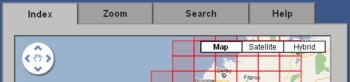
The GGW Bore database browser consists of 4 tabs:
- Index tab - shows the standard maps sheets covering WA. Click on a sheet to reveal information about the bores within the sheet and to zoom into the sheet (on the zoom tab).
- Zoom tab - shows the detail, including bores, of the map sheet selected in the Index tab.
- Search tab - provides search options.
- Help tab - help and contact details for more information.
|

|
Use the arrow buttons to resize the GoogleMaps Browser to suit your monitor and window size.
|
The Index Tab
|
|
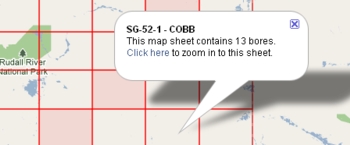
Map sheets are outlined in red. Sheets which do not contain any bores are shaded. To reveal information including sheet reference number, sheet name and the number of bores within a sheet, click anywhere within a sheet. To zoom into the sheet, follow the "Click here" link in the information bubble.
|
|
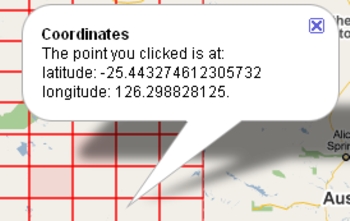
To find the latitude and longitude of any point on the Index map or on the Zoom map, click the right mouse button.
|
The Zoom Tab
|
|
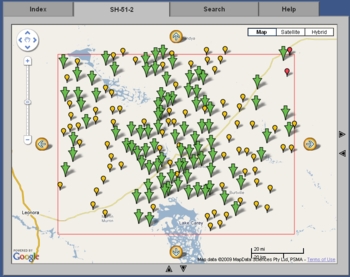
When a map sheet is selected from the index tab, it is displayed in this tab and the area covered is outlined in a red rectangle. An explanation of the symbols which appear on the zoom map follows.
|
|
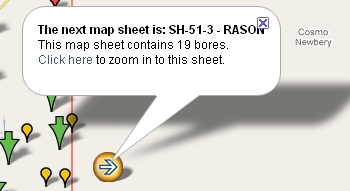
The large arrows white arrows within yellow markers indicate that the next map sheet in the indicated direction contains bores. Click on the arrow marker for more information and to display the "Click here" link that will shift the zoom focus to that next sheet.
|
|
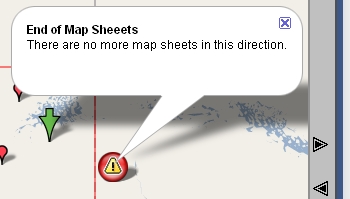
The large exclamation mark within red markers indicate that there are no more map sheets in the indicated direction.
|
|
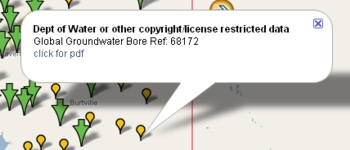
The small yellow pins indicate the position of a bore where rights to data concerning the bore are NOT owned by Global Groundwater. Contact Global Groundwater and mention the Bore Reference number for more information. Additionally, information about the bore can be obtained in pdf format by following the "click for pdf" link in the information bubble..
|
|
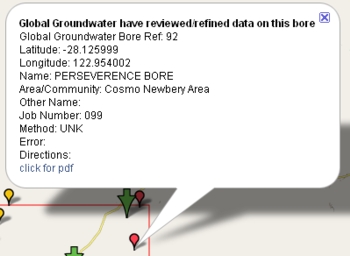
The small red pins indicate the position of a bore where rights to data concerning the bore are owned by Global Groundwater. Contact Global Groundwater and mention the Bore Reference number for more information. Additionally, information about the bore can be obtained in pdf format by following the "click for pdf" link in the information bubble.
|
|
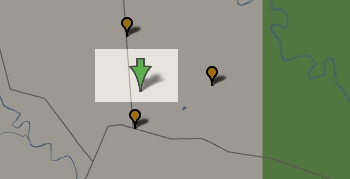
The large green arrows indicate the position of multiple bores where the scale of the map is such that the bore markers would be indistinguishable. Click on an arrow to change the scale to reveal the bores.
|
The Search Tab
|
|
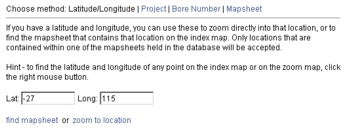
To find a specific point, choose the "Latitude/Longitude" search method. Choose the "zoom to location" link to zoom into the exact location in the Zoom tab, or choose "find mapsheet" to highlight the map sheet that contains the location in the Index tab.
|
|
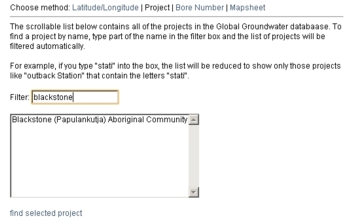
To find a specific GGW project, choose the "Project" search method, select a project from the list, then click the "find the selected project" link to open the map sheet that contains the project in the Zoom tab and to zoom into the project which will be marked by a purple pin. To find a particular project in the list, you may enter part of the project's name into the filter box and the list will be filtered as you type.
|
|
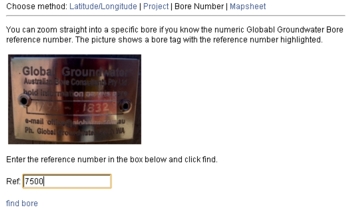
To find a specific bore, chose the "Bore Number" search method, enter the GGW Bore Reference number, then click the "find bore" link to open the map sheet that contains the bore in the Zoom tab and to zoom into the bore.
|
|
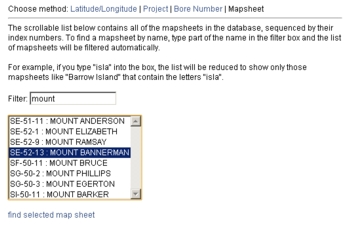
To find a specific map sheet, choose the "Mapsheet" search method, select a map sheet from the list, then click the "find selected mapsheet" link to focus on the map sheet in the Index tab. To find a particular sheet in the list, you may enter part of the sheet's name into the filter box and the list will be filtered as you type.
|